7 Abbonamenti sottovalutati con risparmi sorprendentemente significativi nel 2026
Quick Summary
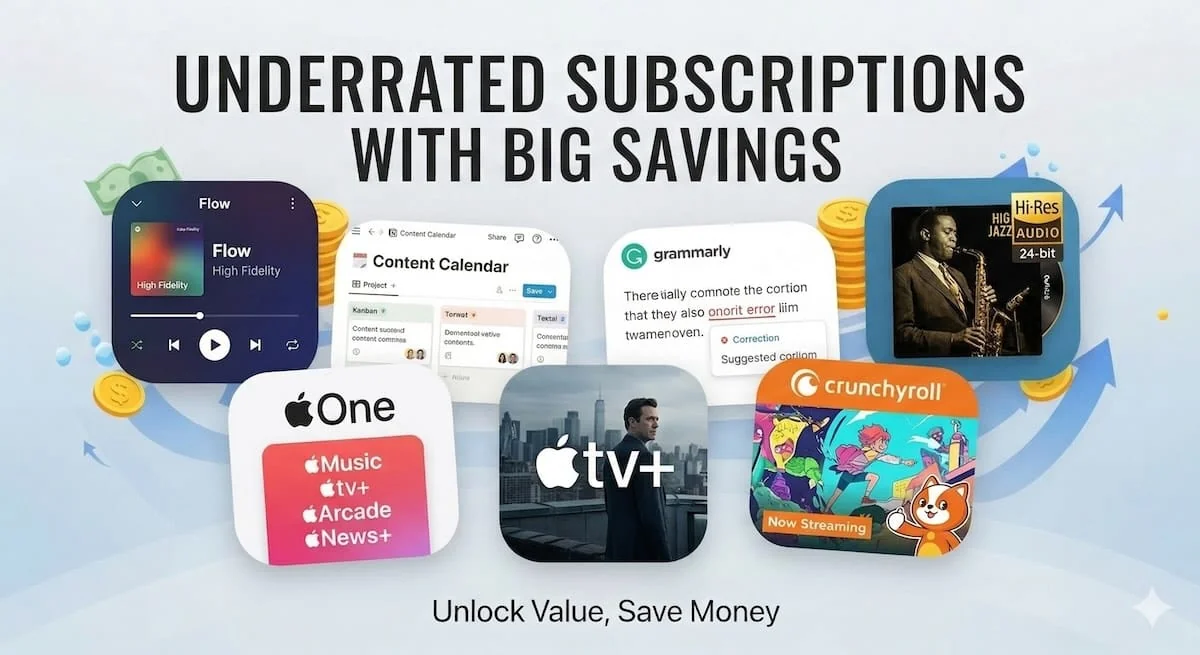
Gli abbonamenti più popolari non sono sempre il miglior valore. Dopo aver tracciato i prezzi in 200+ paesi, ho scoperto che servizi come Deezer, Apple One, Crunchyroll e Notion spesso offrono di più per meno — specialmente quando consideri le differenze di prezzo regionali. La chiave è sapere cosa cercare e come controllare la tua spesa attuale.
Tutti conoscono Netflix, Spotify e Disney+. Dominano la conversazione, e per una buona ragione — sono servizi solidi. Ma nei due anni che ho trascorso tracciando i prezzi degli abbonamenti in 200+ paesi, ho costantemente trovato che il miglior valore vive in servizi che la maggior parte delle persone non considera mai. O non ne hanno mai sentito parlare, o li hanno scartati anni fa e non hanno mai guardato indietro.
Questo articolo riguarda sette abbonamenti che penso meritino più attenzione nel 2026. Alcuni di questi li uso quotidianamente. Altri li ruoto dentro e fuori a seconda di ciò di cui ho bisogno. Tutti loro offrono genuinamente buon valore — specialmente se sfrutto le differenze di prezzo regionali, che possono ridurre i costi del 50-80% su alcuni di questi servizi.
Panoramica rapida: cosa ha fatto la lista e perché
| Abbonamento | Categoria | Prezzo US | Migliore per | Paesi |
|---|---|---|---|---|
| Deezer | Music | $11.99/mo | Alternativa a Spotify con HiFi incluso | 158 |
| Qobuz | Music | $12.99/mo (Solo) | Audiofili che desiderano streaming di qualità studio | 19 |
| Notion | Productivity | $12/mo (Plus) | Spazio di lavoro all-in-one che sostituisce più strumenti | 57 |
| Grammarly | Productivity | $30/mo (Pro) | Scrittori, professionisti, non madrelingua inglese | 61 |
| Apple One | Bundles | $19.95/mo (Individual) | Utenti Apple che pagano 2+ servizi Apple separatamente | 96 |
| Apple TV+ | Video | $12.99/mo | Serie originali di alta qualità su base rotativa | 102 |
| Crunchyroll | Video | $9.99/mo (Fan) | Fan di anime che desiderano il catalogo dedicato più grande | 63 |
Prima di approfondire: come valutare qualsiasi abbonamento
Uso un semplice framework di quattro domande prima di aggiungere qualsiasi abbonamento alla mia spesa mensile. Ha salvato me da dozzine di iscrizioni d'impulso nel corso degli anni, e penso che valga la pena di condividerlo prima di entrare nei singoli servizi.
Sostituisce qualcosa che già paghi?
Il nuovo abbonamento migliore è uno che elimina un costo esistente. Apple One che sostituisce sottoscrizioni separate iCloud, Apple Music e Apple TV+ è un esempio perfetto — finisci per pagare meno per più. Se un nuovo servizio semplicemente si aggiunge al tuo totale mensile senza sostituire nulla, pensa due volte.
Lo userai almeno settimanalmente?
Gli abbonamenti mensili hanno senso solo per le cose che usi regolarmente. Se userai un servizio una volta al mese, probabilmente sei meglio rotando: iscriviti per un mese, usalo intensivamente, cancella e tornare più tardi quando ne hai di nuovo bisogno. Nessun contratto, nessuna penalità. Crunchyroll e Apple TV+ sono perfetti per questo approccio.
Sei nel livello giusto?
Molte persone pagano troppo semplicemente perché si sono iscritte al piano predefinito senza controllare se un livello più economico farebbe il lavoro. Crunchyroll Fan a $9,99 al mese copre i bisogni della maggior parte delle persone — il livello Ultimate Fan di $17,99 aggiunge caratteristiche che solo gli utenti pesanti effettivamente hanno bisogno. Stesso con Notion: il livello gratuito è genuinamente potente per gli individui, e il piano Plus a $12 al mese ha senso solo quando colpisci limiti specifici di collaborazione o archiviazione.
Quanto costa in altri paesi?
Questo è l'angolo su cui passo la maggior parte del mio tempo di ricerca. Le differenze di prezzo regionali sono massicce su abbonamenti digitali — lo stesso piano Deezer Premium che costa $11,99 negli Stati Uniti potrebbe costare una frazione in un altro mercato. Non tutti possono approfittare di questo, ma se puoi, i risparmi sono sostanziali. Controlla sempre l'idoneità e i termini prima di acquistare in una regione diversa.
1. Deezer — l'alternativa Spotify che include HiFi gratuitamente
Deezer è il servizio che consiglio più spesso alle persone che si sentono bloccate con Spotify ma non hanno mai seriamente considerato il passaggio. Ha 120 milioni di brani (più dei 100 milioni di Spotify), include audio lossless HiFi nel piano Premium standard senza costi aggiuntivi, e ha un motore di scoperta chiamato Flow che — dopo due anni di uso — preferisco genuinamente rispetto a Discover Weekly di Spotify per certi stati d'animo.
A $11,99 al mese negli Stati Uniti, Deezer Premium è effettivamente più economico di Spotify Individual ($12,99). Il piano Family è anche più economico: $19,99 rispetto ai $21,99 di Spotify, e Deezer include audio HiFi per ogni membro della famiglia. Su tutti i livelli, Deezer sottoquota Spotify nel mercato statunitense — e in molti altri paesi, il divario è ancora più ampio.
Il motivo per cui Deezer rimane sottovalutato è semplice: momento del marchio. Spotify ha le caratteristiche sociali (Wrapped, Blend, Jam) che mantengono le persone bloccate, e probabilmente la maggior parte dei tuoi amici sono su di essa. Ma se ti importa della qualità del suono, vuoi un migliore controllo sulle tue raccomandazioni, o semplicemente vuoi pagare meno per un servizio comparabile, Deezer è l'interruttore più ovvio.

Deezer
158 countries compared

Cheapest
Turkey
$1.28/mo

Most expensive
Switzerland
$18.49/mo
2. Qobuz — streaming di qualità da studio per ascoltatori seri
Qobuz è un servizio di nicchia, e lo sa. Non sta cercando di competere con Spotify su caratteristiche, strumenti sociali o integrazione di podcast. Invece, si concentra su una cosa: fornire lo streaming audio di qualità più alta disponibile. Stiamo parlando file hi-res 24-bit/192 kHz — ben oltre la qualità CD — con un catalogo curato specificamente per audichili e appassionati di musica.
A $12,99 al mese per il piano Solo negli Stati Uniti, costa lo stesso di Spotify Individual. Il piano Student è effettivamente il più economico tra tutti i principali servizi musicali a $4,99 al mese. Ma ecco il problema: Qobuz è disponibile solo in 19 paesi. Se sei negli Stati Uniti, UK, Francia, Germania, o una manciata di altri mercati occidentali, puoi usarlo. Altrimenti, sei fuori di fortuna per adesso.
Chi dovrebbe considerare Qobuz? Chiunque possieda buone cuffie (cablate, non Bluetooth) o un sistema di altoparlanti appropriato e effettivamente si importa di sentire la differenza. Se ascolti attraverso AirPods o standard Bluetooth earbuds, la qualità hi-res è sprecata — il tuo hardware non può riprodurla. Ma se hai investito in apparecchiature audio, Qobuz abbinato a un buon DAC è un passo in più da qualsiasi altro servizio di streaming.

Qobuz
19 countries compared

Cheapest
Brazil
$5.02/mo

Most expensive
Denmark
$22.93/mo
3. Notion — sostituisci tre o quattro strumenti con uno
Notion è uno di quegli strumenti difficili da spiegare finché non lo usi. Al suo core, è uno spazio di lavoro che combina note, documenti, database, gestione di progetti e wiki in una singola app. Lo uso per gestire tutto, dai calendari di contenuti alle finanze personali alla pianificazione di viaggi — e ha sostituito Evernote, Trello e Google Docs per la maggior parte dei miei flussi di lavoro.
Il livello gratuito è genuinamente generoso per l'uso individuale — pagine illimitate, collaborazione di base e accesso a tutte le caratteristiche core. Il piano Plus a $12 al mese aggiunge caricamenti di file illimitati, cronologia delle versioni di 30 giorni e migliori strumenti di collaborazione. Il piano Business a $24 al mese è per i team che hanno bisogno di permessi avanzati e controlli amministrativi.
Dove Notion ti fa risparmiare soldi: se attualmente paghi per uno strumento di presa di note, uno strumento di gestione di progetti e un editor di documenti separatamente, Notion può sostituire tutti e tre. Quella sola consolidazione spesso ti fa risparmiare $15-30 al mese. La curva di apprendimento è reale — Notion è incredibilmente flessibile ma non immediatamente intuitivo — ma una volta che costruisci il tuo spazio di lavoro, diventa indispensabile.
Nota sui prezzi regionali: Notion è disponibile in 57 paesi con prezzi tracciati sulla nostra pagina di servizio. Come la maggior parte di SaaS di produttività, la variazione di prezzo tra i paesi tende ad essere più piccola dei servizi di streaming, ma le differenze esistono comunque — specialmente in mercati con potenza d'acquisto inferiore.

Notion
57 countries compared

Cheapest
South Korea
$9.30/mo

Most expensive
United Kingdom
$13.37/mo
4. Grammarly — ne vale la pena se scrivi ogni giorno, non necessario se non lo fai
Grammarly è il servizio più costoso di questo elenco a $30/mese per il piano Pro, e voglio essere franco: non è per tutti. Se scrivi pochi email a settimana e un occasionale post sui social media, il livello gratuito è più che sufficiente. Ma se scrivi professionalmente — post di blog, copy di marketing, proposte per clienti, relazioni — il piano Pro si ripaga nel tempo risparmiato.
Quello che Grammarly Pro fa effettivamente oltre il livello gratuito: individua problemi di tono, suggerisce riscritture di frasi per chiarezza, verifica il plagio e ora include assistenza di scrittura AI che è genuinamente utile per bozze iniziali e brainstorming. L'estensione del browser funziona ovunque — Gmail, Google Docs, LinkedIn, Slack — quindi si integra nel tuo flusso di lavoro esistente senza alcuno sforzo aggiuntivo.
Per i non madrelingua inglesi, Grammarly è particolarmente prezioso. Individua errori sottili che gli correttori ortografici perdono — uso delle preposizioni, posizionamento degli articoli, frasi imbarazzanti — e le spiegazioni effettivamente ti aiutano a imparare nel tempo. Conosco diversi che attribuiscono a Grammarly il miglioramento significativo della loro scrittura in inglese nel giro di pochi mesi di uso quotidiano.
L'aspetto sottovalutato: i prezzi di Grammarly variano significativamente per paese. In alcuni mercati, il piano Pro costa sostanzialmente meno del prezzo USA di $30/mese. Se scrivi in inglese indipendentemente da dove vivi, controllare i prezzi regionali sulla nostra pagina del servizio potrebbe farti risparmiare una quantità significativa.

Grammarly
61 countries compared

Cheapest
India
$26.24/mo

Most expensive
Slovenia
$34.24/mo
5. Apple One — the bundle that actually makes financial sense
Apple One è l'opportunità di risparmio più trascurata per chiunque sia nell'ecosistema Apple. Il piano Individual ($19.95/mese) raggruppa Apple Music, Apple TV+, Apple Arcade e 50 GB iCloud+. Il piano Family ($25.95/mese) condivide tutto tra fino a sei persone e aumenta lo spazio di archiviazione a 200 GB. Il piano Premier ($37.95/mese) aggiunge Apple News+, Apple Fitness+ e 2 TB di spazio iCloud.
Ecco la matematica che lo rende ovvio: Apple Music Individual da solo costa $10.99/mese. Apple TV+ è $12.99/mese. iCloud+ 50 GB è $0.99/mese. Questo è $24.97/mese per tre servizi separatamente — o $19.95/mese raggruppato con Apple One Individual, che aggiunge anche Apple Arcade gratuitamente. Risparmi $5/mese ($60/anno) e ottieni un servizio aggiuntivo incluso.
I risparmi diventano più drammatici con il piano Family. Se la tua famiglia stava pagando per Apple Music Family ($16.99), Apple TV+ ($12.99) e iCloud+ 200 GB ($2.99), questo è $32.97 separatamente rispetto a $25.95 per Apple One Family — risparmiando $7/mese ($84/anno). E di nuovo, Apple Arcade è incluso come bonus.
Il compromesso: Apple One ha senso solo se usi effettivamente i servizi inclusi. Se vuoi solo lo spazio di archiviazione iCloud e nient'altro, i piani iCloud+ standalone sono più economici. Calcola i numeri per la tua situazione specifica prima di passare.

Apple One
96 countries compared
Cheapest
India
$2.05/mo

Most expensive
Bahrain
$34.44/mo
6. Apple TV+ — the best streaming service to rotate
Apple TV+ è un servizio strano. Ha il catalogo più piccolo di qualsiasi grande streamer — nessun catalogo retro di spettacoli legacy, nessun contenuto con licenza da altri studi. Tutto su Apple TV+ è un Apple Original. Eppure, la qualità di quegli originali è costantemente tra le migliori nello streaming: Ted Lasso, Severance, The Morning Show, Slow Horses, Foundation, Silo.
A $12.99/mese negli USA, non è l'opzione più economica — ma la strategia di rotazione funziona perfettamente qui. Iscriviti quando uno spettacolo che vuoi guardare ha una nuova stagione, guardalo freneticamente ed esplora il catalogo per un mese, poi cancella e torna tra sei mesi quando vengono rilasciate nuove stagioni. Apple non penalizza la cancellazione e la tua watchlist e il tuo progresso vengono salvati al tuo ritorno.
Una cosa che le persone perdono: Apple TV+ è disponibile in 102 paesi e il prezzo varia significativamente. In alcuni mercati, costa meno della metà del prezzo USA per lo stesso identico contenuto. Se sei fuori dagli USA, controlla la pagina dei prezzi — potresti avere una piacevole sorpresa.
Suggerimento Pro: se acquisti un nuovo dispositivo Apple, ottieni tre mesi di Apple TV+ gratuiti. E se stai già sottoscrivendo a Apple One, Apple TV+ è incluso — quindi non pagarlo separatamente.

Apple TV+
102 countries compared

Cheapest
Egypt
$2.42/mo
Most expensive
Bahrain
$21.25/mo
7. Crunchyroll — l'unico abbonamento anime di cui la maggior parte delle persone ha bisogno
If you watch anime, you already know about Crunchyroll. If you do not, this section might not be for you — but hear me out, because anime has gone mainstream in a way that makes Crunchyroll relevant to a much wider audience than it was five years ago.
Crunchyroll è il più grande servizio di streaming anime dedicato, con oltre 1.000 titoli e simulcast nello stesso giorno per i nuovi episodi dal Giappone. Il piano Fan a $9.99/mese ti dà accesso senza annunci al catalogo completo con download offline. Il Mega Fan ($13.99) aggiunge lo streaming simultaneo su quattro dispositivi, e l'Ultimate Fan ($17.99) aggiunge vantaggi come sconti del negozio e accesso ai concerti.
Per la maggior parte degli fan di anime, il piano Fan è tutto ciò di cui hai bisogno. Il salto a Mega Fan ha senso solo se più persone nella tua famiglia guardano anime simultaneamente. Ultimate Fan è per i fan incalliti che partecipano agli eventi e acquistano merchandise — lo sconto del negozio può pagare la differenza di livello se spendi abbastanza.
I prezzi regionali sono importanti anche qui: Crunchyroll è disponibile in 63 paesi e i prezzi possono variare sostanzialmente. In alcuni mercati dell'America Latina e dell'Asia, il piano Fan costa significativamente meno del prezzo USA. Controlla il confronto dei prezzi sopra prima di assumere che $9.99 sia la tua unica opzione.

Crunchyroll
63 countries compared

Cheapest
Pakistan
$1.01/mo
Most expensive
Switzerland
$11.01/mo

Save on your subscription with a VPN
Regional pricing means the same subscription can cost significantly less in another country. Use CometVPN to connect to the cheapest region and sign up at the lowest price — safely and securely.
Try CometVPNL'audit degli abbonamenti: come trovare risparmi nascosti in 5 minuti
Oltre a scoprire nuovi servizi, i maggiori risparmi di solito provengono dall'auditing di ciò che paghi già. Faccio questo esercizio ogni trimestre e mi salva costantemente $20-40/mese. Ecco il mio processo esatto.
- Traccia ogni abbonamento in un unico posto — usa il nostro tracker gratuito su SubscriptionsCompare.com per vedere la tua spesa mensile totale e ricevere avvisi di prezzo quando i servizi cambiano le loro tariffe.
- Usa il calendario di rotazione: scegli 2-3 servizi come nucleo, ruota 1-2 servizi di nicchia trimestralmente e cancella tutto il resto.
- Controlla i prezzi regionali per ogni servizio che usi. Lo stesso abbonamento può costare il 50-80% in meno in un altro paese, e le nostre pagine di confronto per paese ti mostrano esattamente dove.
- Combina strategicamente i bundle. Apple One sostituisce fino a 6 abbonamenti Apple separati; se stai già pagando per 3+, stai lasciando soldi sul tavolo.
- Non rinnovare mai automaticamente senza verificare. I prezzi cambiano, i concorrenti lanciano offerte e i tuoi modelli di utilizzo cambiano. Un controllo di cinque minuti prima di ogni rinnovo può far risparmiare centinaia di dollari all'anno.
The rotation calendar approach
Per i servizi che non usi ogni mese — soprattutto i servizi di streaming — consiglio un calendario di rotazione. L'idea è semplice: invece di pagare per cinque servizi di streaming simultaneamente ($50-80/mese), ti iscrivi a uno o due alla volta e li ruoti.
Ad esempio: gennaio e febbraio su Netflix (stai al passo con le nuove uscite), marzo su Apple TV+ (nuova stagione di Severance), aprile su Crunchyroll (stagione anime primaverile), maggio di nuovo su Netflix. Alla fine otterrai tutti i contenuti e stai pagando uno o due servizi invece di cinque. Nel corso di un anno, questo approccio può risparmiare $300-500 a seconda dei servizi e dei prezzi del tuo paese.
La chiave è che nessuno di questi servizi ha contratti o commissioni di cancellazione. Puoi cancellare e riscriverti istantaneamente, e i tuoi profili, watchlist e cronologia di visione vengono preservati al tuo ritorno. L'unico costo della rotazione è la pazienza — potresti aspettare uno o due mesi per guardare qualcosa di nuovo invece di vederlo il giorno del rilascio.
Confronta tutti i servizi, i livelli e le categorie in un unico posto: SubscriptionsCompare.com/compare
Prezzi regionali: la maggiore leva di risparmio che la maggior parte delle persone ignora
I have been tracking subscription prices across 200+ countries for two years, and the price differences still surprise me. The same Crunchyroll Fan plan that costs $9.99 in the US can be a fraction of that in certain markets. Deezer Premium at $11.99 in the US drops significantly in parts of Asia, Eastern Europe, and Latin America. Even Apple One — which Apple keeps relatively consistent globally — has notable variations.
Questo non è un buco — è come funziona la tariffazione digitale. Le aziende impostano prezzi diversi in diversi mercati in base al potere d'acquisto locale. Un piano Netflix Standard che costa $17.99/mese negli Stati Uniti potrebbe costare l'equivalente di $3-4/mese in Turchia o Argentina. Lo stesso vale per Spotify, YouTube Premium, Apple One e praticamente ogni servizio di abbonamento globale.
Il mio stack personale e quanto costa
For transparency, here is what I actually pay for monthly in 2026. I use Apple One Family (covers iCloud, Apple Music, Apple TV+, and Apple Arcade for my household). I keep Notion Plus for work. I rotate between Deezer and Spotify every few months to stay current on both. I subscribe to Crunchyroll for one or two months during major anime seasons. And I rotate Netflix and Disney+ — never both at the same time.
My total monthly spend fluctuates between $40-60 depending on what I have active. If I subscribed to everything simultaneously at US prices, it would be well over $120/month. The combination of strategic rotation, right-tier selection, and regional pricing awareness cuts my costs by roughly half — and I do not feel like I am missing out on anything.
FAQ
I bundle sono sempre piu economici degli abbonamenti individuali?
Non sempre. I bundle risparmiano denaro solo quando utilizzi effettivamente la maggior parte dei servizi inclusi. Apple One è una chiara vittoria se usi iCloud, Apple Music e Apple TV+. Per altri, confronta i numeri prima di iscriverti.
Come trovo le maggiori differenze di prezzo tra i paesi?
Utilizza le nostre pagine di confronto dei servizi — ognuna mostra i prezzi in tutti i paesi che seguiamo, ordinati da piu economici a piu costosi. Puoi spesso risparmiare il 50-70% passando a una regione piu economica tramite VPN.
Vale la pena passare da Spotify a Deezer?
Se ti importa la qualita audio (HiFi incluso senza costi aggiuntivi), vuoi piu controllo sulle raccomandazioni, o semplicemente vuoi provare qualcosa di nuovo, sì. Se sei felice con le funzioni di scoperta di Spotify, probabilmente no.
Posso davvero cancellare e abbonarmi di nuovo senza perdere nulla?
Si, per tutti e sette i servizi in questo elenco. Il tuo profilo, la lista dei desideri, le playlist e la cronologia vengono conservati quando annulli. Puoi fare una pausa e riprendere da dove hai lasciato in qualsiasi momento.
Qobuz vale la pena se ho cuffie standard?
Probabilmente no. Il principale vantaggio di Qobuz è l'audio ad alta risoluzione (24-bit/192 kHz), che richiede cuffie cablate o un altoparlante dedicato. Le cuffie standard non mostreranno la differenza.
Quanto posso realistically risparmiare controllando i miei abbonamenti?
Secondo la mia esperienza, la maggior parte delle persone puo risparmiare $20-40/mese annullando servizi inutilizzati, passando a livelli appropriati e passando a regioni piu economiche. Cioè $240-480 all'anno.
Grammarly vale $30/mese?
Solo se scrivi quotidianamente a scopi professionali. La versione gratuita gestisce la grammatica e l'ortografia di base. Pro aggiunge il rilevamento del tono e i controlli del plagio — utile per scrittori e giornalisti.
Qual è il miglior piano Crunchyroll per uno spettatore casual di anime?
Il piano Fan a $9,99/mese. Ti da accesso senza annunci al catalogo completo con download offline su un dispositivo. Mega Fan ($14,99) aggiunge flussi simultanei su due dispositivi.
Apple One funziona al di fuori degli Stati Uniti?
Sì, Apple One è disponibile in 96 paesi. I servizi inclusi e i prezzi variano in base alla regione — non tutti i paesi hanno accesso a tutti e quattro i livelli. Controlla il tuo App Store locale per i dettagli.
Con quale frequenza dovrei controllare i miei abbonamenti?
Consiglio una volta per trimestre — imposta un promemoria del calendario. I prezzi cambiano, i tuoi modelli di utilizzo cambiano e arrivano nuove offerte in bundle. I controlli trimestrali mantengono la tua fattura ottimizzata tutto l'anno.