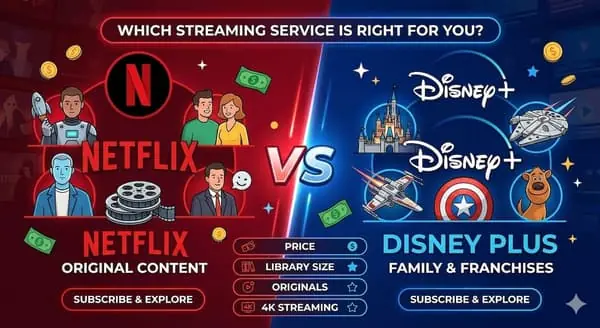
How to Save Money on Subscriptions in 2026: A Practical Guide

Quick Summary
The average household spends $200+ per month on subscriptions, and most people are paying for at least one service they barely use. The biggest wins come from eliminating overlap (two services doing the same job), downgrading to cheaper tiers, and rotating streaming services instead of keeping them all year. If you want to go further, regional pricing differences can save you 50-80% on the same plans. This guide walks through every strategy I use personally.
I track subscription pricing across dozens of services and 100+ countries for SubscriptionsCompare, so I spend a lot of time thinking about how people spend on digital subscriptions. One pattern I see constantly: people sign up for services with good intentions, then forget about half of them while the charges keep coming. The average household now spends over $200 per month on subscriptions, and studies consistently show that most people underestimate their total subscription spending by 2-3x.
The good news is that cutting subscription costs does not require giving up the services you love. Most of the savings come from structural changes — eliminating redundancy, timing your subscriptions better, and taking advantage of pricing strategies that most people overlook. I have been refining this approach for years, and it consistently saves me hundreds of dollars annually without sacrificing anything I actually use.
Step 1: Run a full subscription audit
This is the foundation of everything else, and it takes about 10 minutes. Open your bank statements, credit card history, and app store subscriptions (both Apple and Google have subscription management pages). Write down every recurring charge — not just the obvious ones like Netflix and Spotify, but also cloud storage, productivity tools, fitness apps, news sites, and gaming services. People regularly forget about services like iCloud+, Google One, or that Canva subscription they signed up for during a project six months ago.
For each subscription, note four things: the service name, what you pay monthly (convert annual plans to monthly for comparison), who in your household actually uses it, and the last time someone used it. Be honest with yourself on that last one — there is a difference between "I used it last Tuesday" and "I think I opened it sometime last month."
Here is what a typical audit looks like. I am using real current prices to give you a realistic picture:
| Subscription | Price / month | Who uses it? | Last used? | Action |
|---|---|---|---|---|
| Netflix (Standard) | $17.99 | Whole family | Yesterday | Keep — but check if Standard with Ads works |
| Spotify (Individual) | $12.99 | Me only | Daily | Downgrade to Duo or check Family math |
| Disney+ (Premium) | $16.99 | Kids, occasionally me | Last week | Downgrade to Standard with Ads ($9.99) |
| YouTube Premium | $13.99 | Me | Daily | Keep — replaces music + ad-free video |
| iCloud+ (200 GB) | $2.99 | Me (photos backup) | Always on | Keep |
| Adobe Creative Cloud | $59.99 | Me (work) | Three weeks ago | Switch to Photography plan ($11.99) |
| Paramount+ | $12.99 | Nobody recently | Two months ago | Cancel |
Just looking at this example, there are already three clear moves: cancel the unused Paramount+ ($12.99 saved), downgrade Disney+ to the ad-supported tier ($7/month saved), and switch Adobe to a cheaper plan ($48/month saved). That is almost $68 in monthly savings from a 10-minute review — over $800 per year.
Step 2: Eliminate overlap — the silent budget killer
Overlap is the number one reason people overspend on subscriptions, and it is surprisingly easy to miss. You end up with two video streaming services but only actively watch one. Two music apps because you started with one and switched but forgot to cancel the first. Cloud storage in three different places because each service offers its own. Two note-taking tools because you tried a new one but never migrated fully.
The rule is simple: if two subscriptions solve the same problem, keep the one you use more and cancel the other. Here are the most common overlaps I see:
| Category | Common overlap | Typical resolution |
|---|---|---|
| Music | Spotify + Apple Music, or Spotify + YouTube Music | Keep one — they all have roughly the same catalog |
| Video streaming | Netflix + Disney+ + Paramount+ + Max all at once | Keep 1-2 and rotate the rest (more on this below) |
| Cloud storage | iCloud+ + Google One + Dropbox | Pick one ecosystem and consolidate |
| Productivity | Microsoft 365 + Google Workspace + Notion | Most people only need one suite |
| News / reading | Multiple news app subscriptions | Pick one primary source |
A specific overlap that catches many people: if you pay for YouTube Premium, you already have YouTube Music included. That means paying separately for Spotify or Apple Music on top of YouTube Premium gives you two music services when you probably only need one. Either drop the standalone music app or drop YouTube Premium and keep the music service you prefer — but paying for both is almost always a waste.
Step 3: Downgrade before you cancel
This is a step that most "save money on subscriptions" guides skip, but it is often where the best savings are. Before canceling a service you somewhat enjoy, check whether a cheaper tier exists that still gives you what you need. Many people pay for premium tiers when a basic or ad-supported option would work fine for how they actually use the service.
The streaming industry has moved heavily toward ad-supported tiers in the past two years, and they are genuinely decent now. Netflix with Ads is $7.99 instead of $17.99. Disney+ with Ads is $9.99 instead of $16.99. For casual viewers who watch a few hours per week, the ad interruptions are minimal and the savings are significant — you are talking $10-15 per service, per month.
Beyond ad tiers, check for plan structure differences. Spotify Duo ($16.99 for two accounts) is cheaper than two Individual plans ($25.98). The Netflix Standard plan might be enough if nobody in your house actually watches in 4K. Many productivity tools like Notion offer generous free tiers that cover 90% of personal use — you might not need the paid plan at all.
Step 4: Rotate streaming services instead of stacking them
This is the strategy that saves me the most money, and it is something I recommend to almost everyone. Instead of keeping four or five streaming services running simultaneously all year, subscribe to one or two at a time and rotate based on what you actually want to watch.
Here is how it works in practice. Say you want access to Netflix, Disney+, Max, and Paramount+ over the course of a year. Instead of paying for all four every month (roughly $50-65/month depending on tiers), keep Netflix as your always-on base (since it has the most consistent content flow), then subscribe to one other service at a time. Watch the Disney+ shows you have been meaning to see, then cancel and switch to Max for a month, then Paramount+ when their new season drops. You get access to everything you want throughout the year but pay for two services per month instead of four.
Most streaming services make this easy — there are no contracts, cancellation is instant, and your profile and watchlist are saved when you come back. Some services even offer a pause option, which keeps your data intact without charging you. The only discipline required is being intentional about what you want to watch before you subscribe, rather than browsing aimlessly across five different apps.
A practical rotation schedule I have found works well for most households: keep one core service year-round (usually Netflix or YouTube Premium), subscribe to a second service in 2-3 month blocks based on release schedules, and treat everything else as one-month dips when something specific comes out. This approach typically cuts streaming costs by 40-50%.
Step 5: Use family plans strategically
Family plans are one of the most underused money-saving tools for subscriptions. Even if you do not have a large family, splitting a family plan with a partner or roommate almost always works out cheaper than individual subscriptions.
Take Spotify: an Individual plan is $12.99/month, while the Family plan is $19.99 for up to six accounts. Two people on a Family plan pay $10/person — already cheaper than Individual. At three people it drops to $6.66 each. YouTube Premium follows the same pattern: the Family plan covers up to six people and usually breaks even at just two members compared to two Individual subscriptions.
Apple One deserves a special mention here. If your household uses multiple Apple services (Apple Music, Apple TV+, iCloud+, Apple Arcade), the Apple One bundle can save a significant amount compared to paying for each service individually. The Family tier covers up to six people and includes 200 GB of shared iCloud storage. I have seen households save $15-25/month by consolidating into Apple One instead of paying for Apple services separately.

Apple One
96 countries compared

Cheapest
India
$2.05/mo

Most expensive
Bahrain
$34.44/mo

Spotify
184 countries compared

Cheapest
Nigeria
$1.16/mo

Most expensive
Liechtenstein
$19.73/mo
Step 6: Compare prices by country — the biggest hidden savings
This is something I spend a lot of time researching, and the price differences are staggering. Almost every major digital subscription uses regional pricing, which means the exact same plan — same features, same content library, same quality — costs dramatically different amounts depending on which country your account is registered in.
I track these prices across 100+ countries on SubscriptionsCompare, and the gaps are often 50-80%. Netflix in the US might be $17.99/month, while the same Standard plan in Turkey or Argentina is under $5. Spotify Premium ranges from $12.99 in the US to under $2 in some markets. YouTube Premium shows similar spreads. These are not different products — they are identical subscriptions at different price points.
The service blocks below show real-time pricing for some of the most popular subscriptions across every country we track. Take 30 seconds to compare what you currently pay versus what the same plan costs elsewhere.

Netflix
186 countries compared

Cheapest
Pakistan
$1.62/mo
Most expensive
Liechtenstein
$18.43/mo
Spotify
184 countries compared
Cheapest
Nigeria
$1.16/mo
Most expensive
Liechtenstein
$19.73/mo

YouTube Premium
111 countries compared
Cheapest
India
$0.93/mo

Most expensive
United Kingdom
$10.69/mo

Disney+
72 countries compared

Cheapest
Brazil
$3.47/mo

Most expensive
Switzerland
$20.90/mo

Save on your subscription with a VPN
Regional pricing means the same subscription can cost significantly less in another country. Use CometVPN to connect to the cheapest region and sign up at the lowest price — safely and securely.
Try CometVPNStep 7: Build a system that prevents subscription creep
The strategies above will save you a significant amount right now, but the real challenge is keeping costs down over time. Subscription creep is real — you cut five subscriptions today, and six months later you have signed up for three new ones without thinking about it. Here is the system I use to prevent that.
Set a monthly subscription budget
Pick a number you are comfortable spending on all subscriptions combined — entertainment, productivity, storage, everything. For most individuals, $30-50/month covers a generous set of services. For households, $60-100 is typical. Write it down. When a new subscription would push you over that limit, something else has to go before you add it.
Calendar your renewal dates
Add every subscription renewal to your calendar with a reminder 3 days before. This is not just about remembering to cancel — it is about forcing a conscious decision each month. When that reminder pops up, ask yourself: did I use this service in the last two weeks? If not, cancel or pause before the charge hits.
Do a quarterly audit
Even with reminders, a full audit every three months catches things that slip through. Block 15 minutes on your calendar at the start of each quarter. Review bank statements, check app store subscriptions, and run through the same process from Step 1. Subscription services are constantly changing prices, adding new tiers, and updating their offerings — what made sense three months ago might not be the best deal today.
What realistic savings actually look like
I want to set honest expectations here, because a lot of subscription-saving guides throw around unrealistic numbers. Based on the households I have helped audit, here is what typical savings look like:
| Strategy | Typical monthly savings | Annual impact |
|---|---|---|
| Canceling unused subscriptions | $10 - $30 | $120 - $360 |
| Downgrading to cheaper tiers | $10 - $25 | $120 - $300 |
| Rotating streaming services | $15 - $30 | $180 - $360 |
| Switching to family plans | $5 - $15 | $60 - $180 |
| Using regional pricing | $20 - $60 | $240 - $720 |
Most people will not use every strategy, and that is fine. Even applying two or three of these moves typically saves $300-600 per year. If you combine all of them — which is what I do — annual savings of $700-1,000+ are realistic for a household that was previously paying full price for everything without thinking about it.
The key insight is that saving money on subscriptions is not about deprivation. It is about paying for what you actually use, at the best price available, and being intentional about when you subscribe. You can have access to every streaming service, every productivity tool, and every music platform you want over the course of a year — just not all at the same time, and not necessarily at the sticker price.
Compare subscription tiers, prices, and plans across 100+ countries: SubscriptionsCompare.com/compare
FAQ
Should I cancel or pause subscriptions I am not using?
If the service supports pausing (Netflix, Spotify, and several others do), pausing is the easier option if you plan to come back within a month or two. Your profile, preferences, and watch history stay intact. If you are not sure when you will use it again, cancel — you can always resubscribe later and most services restore your data when you come back. The important thing is to stop paying for months you are not using.
How often should I review my subscriptions?
A full audit every quarter (every three months) is the minimum I recommend. Monthly check-ins are better if you tend to sign up for new services frequently. Set a recurring calendar reminder so it actually happens. Between audits, individual renewal reminders help catch any subscription you have stopped using.
Are ad-supported streaming tiers actually worth it?
For most casual viewers, absolutely. Netflix with Ads and Disney+ with Ads both have relatively light ad loads compared to traditional TV — usually 4-5 minutes of ads per hour. The content library is almost identical to the premium tiers (with a few exceptions around offline downloads and simultaneous streams). If you watch a few hours per week rather than daily, the savings of $7-10/month per service add up quickly and the ad experience is not disruptive.
Is it worth switching subscriptions to a different country for cheaper prices?
The savings can be substantial — 50-80% on the same plans in many cases. However, it requires using a VPN to access regional pricing, and you should always check the terms of service for each platform. Some services may restrict content libraries by region, and payment methods can sometimes be an issue. That said, many people do this successfully and save hundreds of dollars per year. Check our comparison pages to see the actual price differences for any service you use.
What is the best combination of streaming services for most households?
There is no single answer because it depends on what you watch, but a practical starting point for most households is one always-on service (usually Netflix for breadth or YouTube Premium if you watch YouTube daily) plus one rotating service that you swap every 1-2 months based on new releases. Add a music service if YouTube Premium is not covering that for you. This keeps total streaming costs around $25-35/month while giving you access to almost everything over the course of a year.
Do family plans require everyone to live at the same address?
Policies vary by service. Spotify Family and YouTube Premium Family require members to live at the same address, and they do verify this periodically. Apple One Family uses Family Sharing, which does not have a strict address requirement. Netflix has cracked down on password sharing and now requires members to be in the same household. Always check current terms before setting up a family plan — enforcement has been tightening across the industry.